New Feature: Add Real Social Proof & Reviews to Your Ads in Seconds
Turn customer quotes, star ratings, and press features into high-converting Meta ad creative—now live on your Stirling Briefs page.

Why Social Proof Ads Are a Must-Have
When targeting cold traffic on Meta, flashy product visuals are only half the equation. The fastest way to overcome buyer skepticism and lower your Customer Acquisition Cost (CAC) is to show third-party validation.
Whether it’s a glowing 5-star rating, a relatable customer quote, or an "As Seen in Vogue" badge, social proof transforms casual scrollers into confident buyers.
That’s why we’ve added Social Proof inputs directly to your Stirling Briefs page.
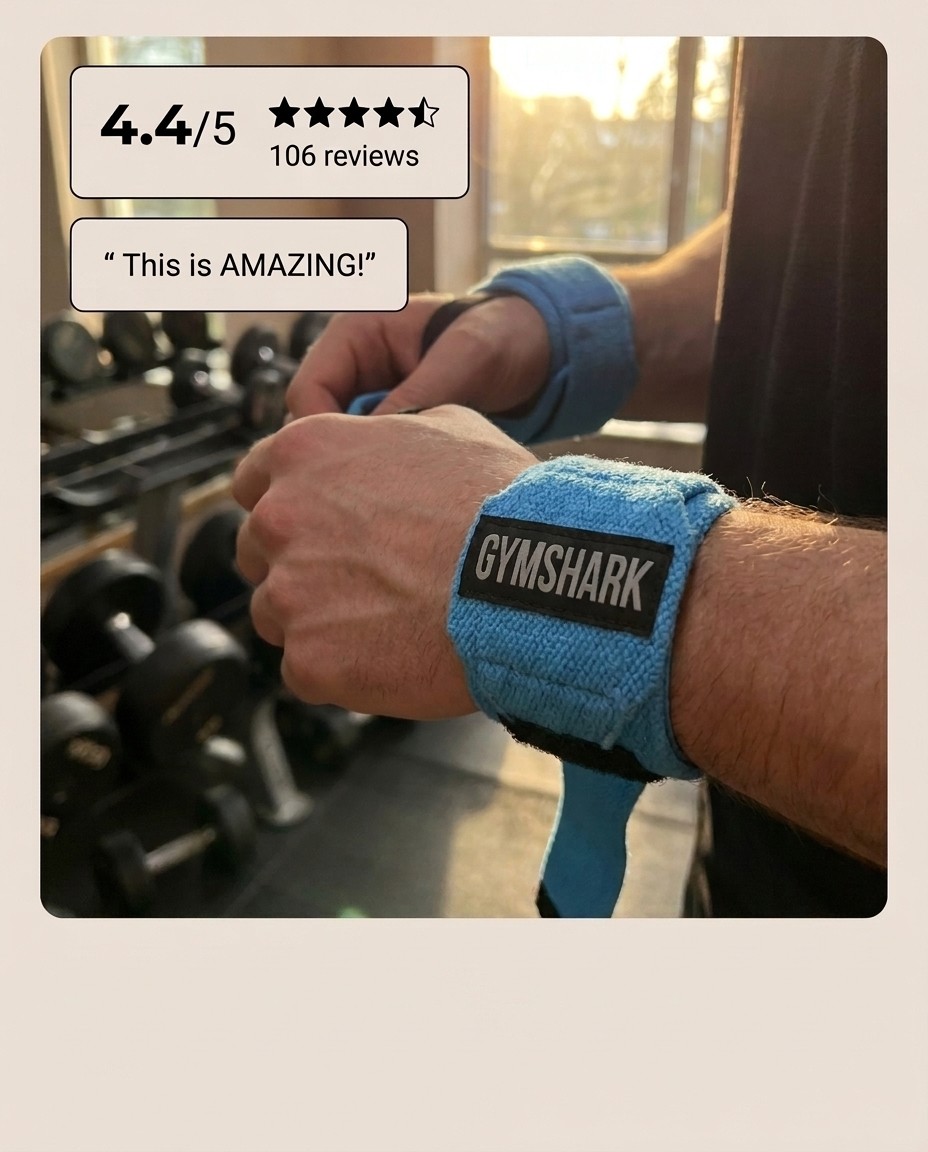
What You Can Add to Your Brief:
Star Rating (Out of 5): Highlight your exact rating (e.g.,
4.8) to give buyers instant confidence.Number of Reviews: Show off your review volume (e.g.,
2,431) to prove you aren't a fly-by-night brand.Customer Review Quote: Feature punchy customer feedback right on the graphic (e.g., "Best purchase I've made all year.").
Trust Signals: Add press callouts or milestone metrics (e.g., "As seen in Vogue", "Over 50,000 units sold").
Zero Graphic Design Required
Instead of manually building quote cards or placing star graphics inside Photoshop or Canva, Stirling formats and aligns all your social proof elements automatically into your generated ad creative.
How to Try It:
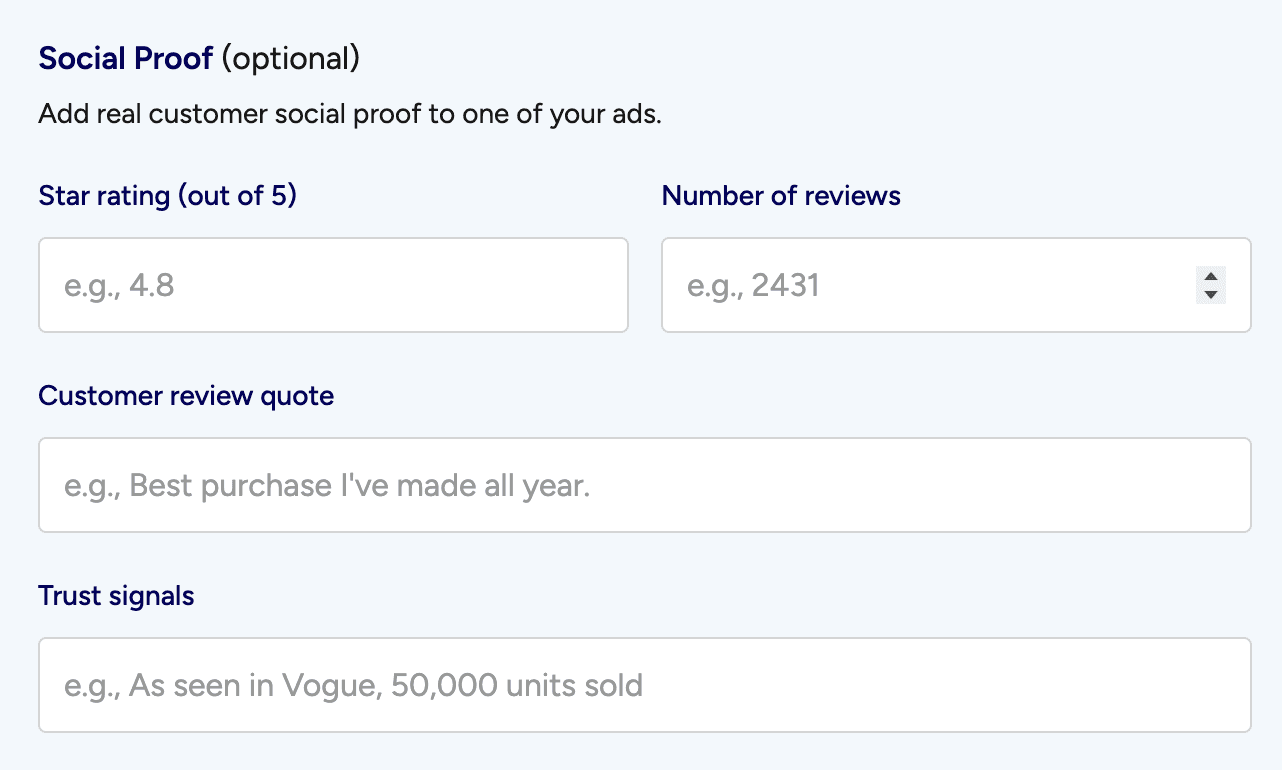
Log in to your Stirling account and start a new Ad Brief.
Scroll to the Social Proof section.
Fill in your ratings, review count, quote, or press signals.
Generate your ads and get a ready-to-publish Social Proof campaign instantly.
Turn Your Product Link Into 12 Winning Ads
Just paste your URL. Stirling’s AI reads your site, finds your best hooks, and builds high-converting ads in 60 seconds.