Stirling Now Works Inside Claude
How to generate Meta & Facebook ads inside Claude with the new Stirling MCP connector

You can now use Stirling's ad creation tools directly inside Claude — no tab switching, no copy-pasting, no extra steps.
We've connected Stirling to Claude using MCP (Model Context Protocol), which lets Claude talk directly to other tools. That means you can ask Claude to generate ads, check your brand briefs, edit creatives, and more — all without leaving the chat.
How do I create Facebook / Meta ads in Claude?
It takes about two minutes to set up.
How to Get Connected
Step 1 — Get your Stirling API key
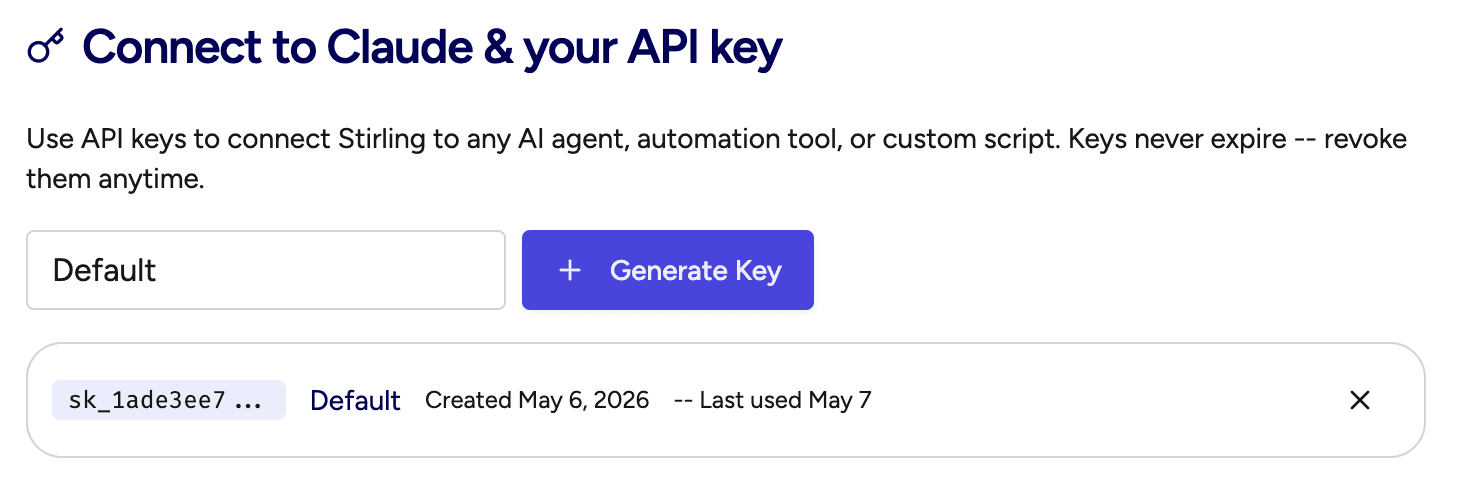
Sign up for a free Stirling account or Head to your Stirling Account page and grab an existing API key, or generate a new one. This key never expires and is what Claude uses to connect to your account. It'll look something like: sk_1ade3ee7...
Step 2 — Add Stirling as a connector in Claude
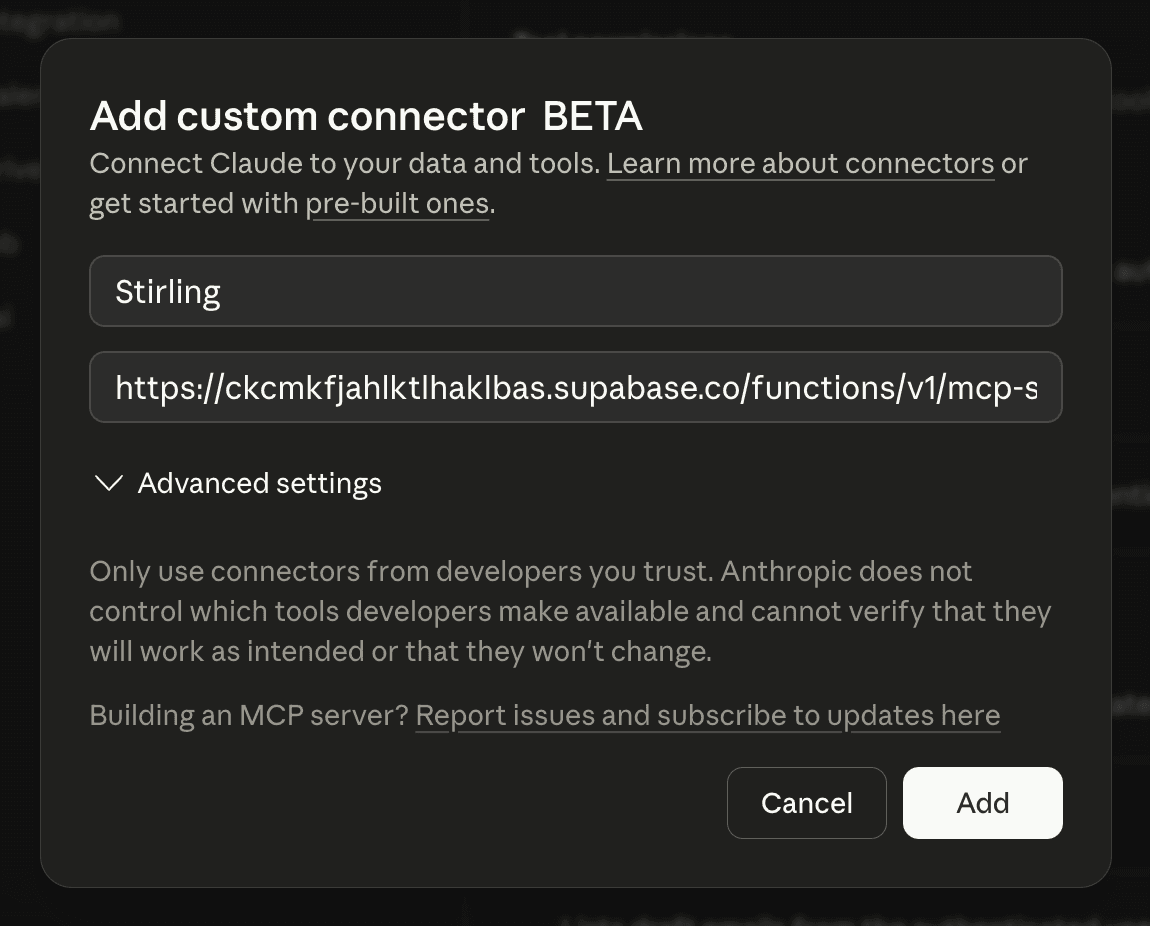
In Claude Desktop or on claude.ai, go to Settings → Connectors → Add custom connector and fill in the following:
Name:
StirlingRemote MCP server URL:
https://ckcmkfjahlktlhaklbas.supabase.co/functions/v1/mcp-server
Leave the OAuth fields blank — Stirling handles that automatically. Then click Add.
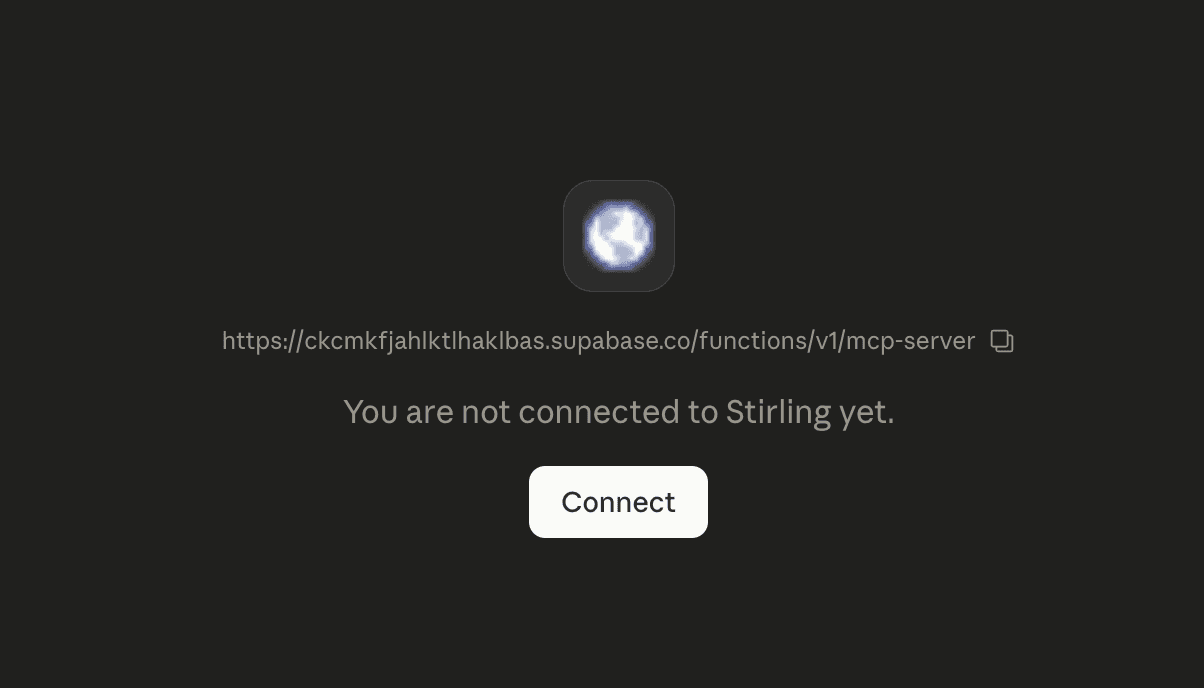
Step 3 — Paste your API key when prompted
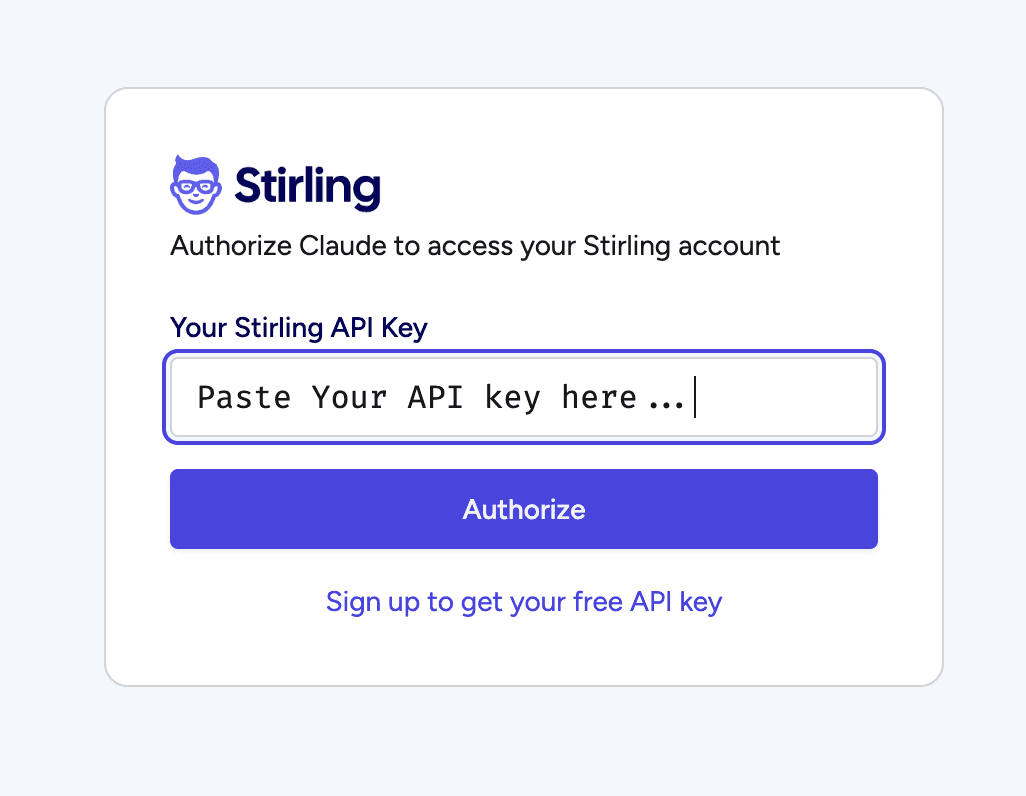
The first time you use Stirling inside Claude, you'll see an authorization page. Paste in your API key from Step 1. That's it — you're connected and won't need to do this again.
What You Can Do Inside Claude
Once connected, Claude has access to all of Stirling's core tools. Just describe what you want in plain language and Claude will handle the rest.
Generate ads
Ask Claude to generate static image ads for Meta. Try saying: "Scrape https://example.com/product and generate 3 ad creatives for it."
Edit your ads
Tell Claude what you want to change in plain English and it will edit your ad using AI. Free to use.
See your briefs
See all the brand briefs saved in your Stirling account, right from the Claude chat.
Browse your ads
Browse all the ads you've generated and saved in Stirling without leaving Claude.
Get credit balance
Quickly check how many credits you have left.
Why We Built This
We built Stirling because creating great ads shouldn't take hours. The Claude connector takes that further — now you can have a real conversation about your brand, your goals, and your audience, and go from idea to finished ad all in one place.
Ready to try it? Grab your API key from your Account page and you'll be up and running in minutes.
We can't wait to see what you create.
— The Stirling Team

Turn Your Product Link Into 12 Winning Ads
Just paste your URL. Stirling’s AI reads your site, finds your best hooks, and builds high-converting ads in 60 seconds.